Tactical Soldier Sci-Fi Warrior 12 Essentials
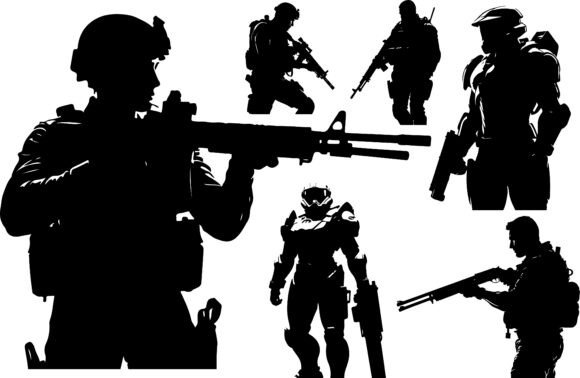
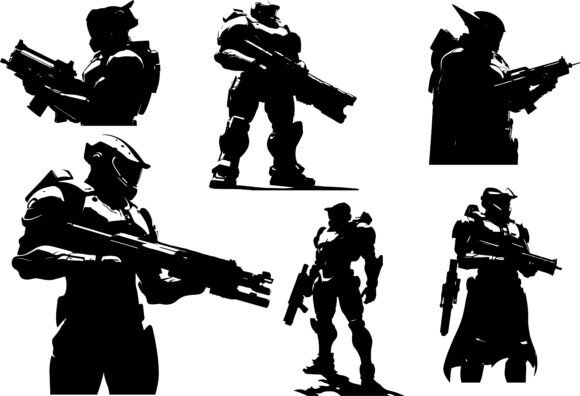
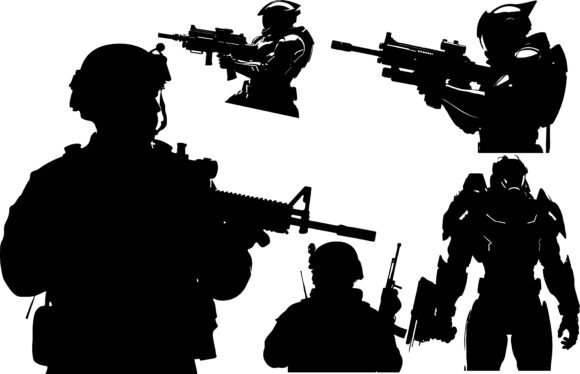
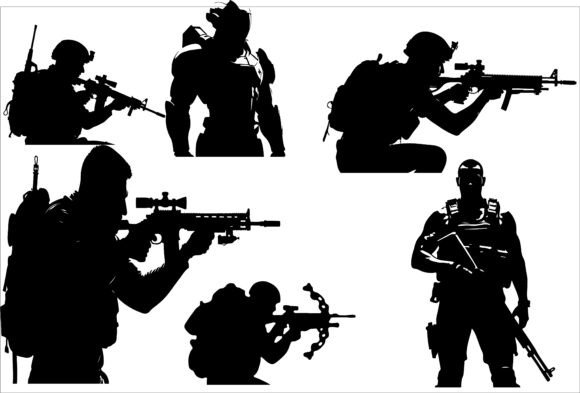
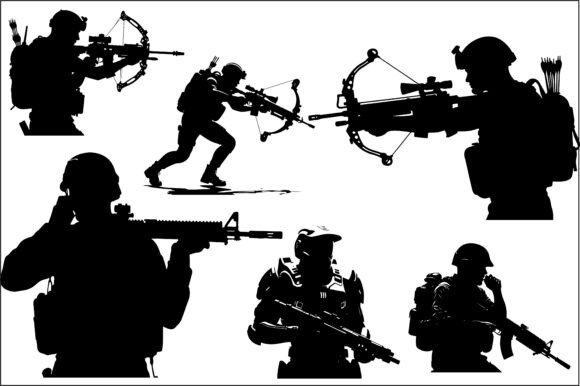
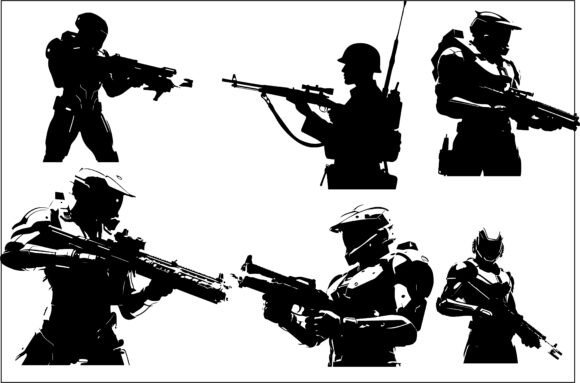
If you work with digital design, laser cutting, or game asset creation, you know the value of clean, scalable vector art. The Tactical Soldier Sci-Fi Warrior 12 bundle delivers exactly that: a collection of high-quality silhouettes that merge modern military realism with futuristic warrior aesthetics. These aren’t generic outlines. Each pose captures the intensity of a battle-ready character, making the set a practical tool for anyone building tactical or sci-fi visuals.
What makes this bundle stand out is the attention to detail in the silhouettes. The poses are dynamic — think soldiers in crouched advances, aiming down sights, or charging forward with weapons drawn. The sci-fi elements are subtle enough to keep the designs grounded, but distinct enough to give your projects a futuristic edge. Whether you’re designing for a first-person shooter game, a military-themed brand, or a DIY laser-cut project, these vectors provide a solid foundation.
What You Get in the Bundle
The Tactical Soldier Sci-Fi Warrior 12 package includes vector files in SVG, PNG, DXF, and EPS formats, all rendered at high resolution. This means you can scale the designs to any size without losing quality. The PNG and JPG versions are ready for immediate use in presentations, mockups, or web assets. The SVG and EPS files are perfect for editing in software like Adobe Illustrator, Inkscape, or CorelDRAW. The DXF format is specifically useful for CNC cutting and laser engraving workflows.
Every silhouette is isolated and clean, which saves you time on tracing or cleanup. You can drop them directly into your project and start working. This level of polish is rare in budget-friendly bundles, and it makes the set a reliable resource for both quick jobs and complex designs.
Video Game Concept Art and FPS Assets
Game designers and indie developers will find these silhouettes especially useful for early-stage concept art. You can use them to block out character proportions, test poses, or create placeholder assets for level design. The tactical sci-fi look fits naturally into FPS games, cover shooters, and futuristic military settings. Because the vectors are editable, you can modify helmets, armor panels, or weapon shapes to match your game’s specific visual style.
For example, if you’re designing a squad of elite soldiers for a sci-fi shooter, you can take one silhouette and adjust the silhouette outline to reflect different armor tiers. Add a cloak, change the stance, or enlarge the weapon profile. The base shape gives you a consistent starting point, which helps maintain visual cohesion across your character roster.
Tactical Branding and Apparel Printing
Small business owners and apparel designers can use these silhouettes to create striking t-shirt graphics, hoodie prints, or patch designs. The strong, action-oriented poses work well for bold single-color prints or layered multi-color designs. A single silhouette on a dark background with a distressed texture creates a gritty, military-inspired look that appeals to fans of tactical gear and sci-fi culture.
For branding applications, consider using the silhouettes as part of a logo system for a tactical training company, airsoft team, or outdoor gear brand. The futuristic elements give the brand a forward-thinking feel, while the soldier poses communicate discipline and readiness. You can pair the silhouette with a clean sans-serif typeface for a modern identity that stands out on social media, merchandise, and packaging.
Laser Cutting, CNC Routing, and Stencil Making
If you run a craft business or DIY workshop, the DXF and SVG files are ready for your machine. The clean vector paths mean you can cut these designs out of wood, acrylic, or metal with minimal fuss. A single soldier silhouette cut from plywood and mounted on a backplate makes a great display piece for a gaming room or man cave. You can also create stencils for spray painting or airbrushing onto surfaces like canvas, walls, or vehicles.
For laser engravers, the silhouettes work well on items like custom phone cases, laptop covers, or cutting boards. A small engraved soldier on a metal business card holder adds a unique, professional touch that clients will remember. The key is to test the line thickness on your material before committing — the detailed edges may need slight simplification for very small engraving jobs.
For Graphic Designers
Graphic designers can treat these vectors as modular components. Combine them with geometric backgrounds, futuristic UI elements, or glow effects to create posters, album covers, or social media graphics. The silhouettes are also ideal for creating striking monochrome compositions. Use one large soldier as the focal point and surround it with smaller technical linework or grid patterns. This approach works well for gaming event banners, YouTube thumbnails, or streaming overlays.
Because the files are layered, you can also experiment with color blocking. Isolate the weapon, the helmet, or the body and assign different colors to each part. This turns a simple silhouette into a more complex illustration without adding extra vector work.
For Marketers and Content Creators
Bloggers and social media managers covering gaming, tech, or military topics can use these images as visual metaphors. A soldier silhouette paired with a glowing digital background instantly communicates themes like combat, strategy, or future warfare. You don’t need to show a full character — the silhouette leaves room for the audience’s imagination while maintaining a professional look.
For YouTube video thumbnails, these silhouettes perform well because they read clearly at small sizes. A single soldier in a dramatic pose with a dark background and a vibrant accent color creates high contrast that stands out in search results. Just ensure the silhouette faces toward the center of the thumbnail to guide the viewer’s gaze.
For Hobbyists and DIY Creators
If you’re crafting for personal projects, the possibilities are wide open. Print the silhouettes on sticker paper to make custom laptop decals. Use them as templates for leatherworking patches or embroidery designs. Scale them up and paint them onto a wooden sign for your garage or gaming space. The vector formats let you resize without pixelation, so you can go from a tiny keychain design to a large wall mural with the same file.
One practical idea: create a set of stencils for airbrushing matching designs onto a gaming chair, mouse pad, or desk mat. The consistent poses will tie the setup together visually, giving your workspace a unified tactical theme.
Keeping Your Results Clear and Effective
To get the most out of the Tactical Soldier Sci-Fi Warrior 12 bundle, pay attention to how you use negative space and scale. Because silhouettes are solid shapes, they can feel heavy if placed in a cluttered composition. Give each figure room to breathe. If you’re combining multiple soldiers, stagger their positions and vary their sizes to create depth and movement.
For laser cutting, always check the minimum line width your machine can handle. Silhouettes with very fine details, like visor slits or weapon handles, may need to be simplified for smaller cuts. Most vector editing software lets you merge or delete small path segments easily.
When printing on apparel, use high-contrast color combinations. A black silhouette on a charcoal shirt may look faded. Instead, try white, neon, or metallic inks on dark fabric. For light-colored shirts, black, navy, or deep red offers a strong contrast that holds up after repeated washes.
If you’re using these designs for branding, consistency is key. Stick to one or two poses across your materials so the identity stays recognizable. Too many different poses can dilute the visual message. For a cohesive look, pair your chosen silhouette with a consistent color palette, typography, and layout grid.
Originality Through Customization
The real power of a vector silhouette bundle is the ability to make it your own. Start with the provided shapes and then modify them. Flip a soldier horizontally, elongate the weapon, or combine two poses into a combat scene. Add your own sci-fi elements — energy shields, robotic limbs, or futuristic visors — to create characters that feel unique to your project.
You can also layer multiple silhouettes at different opacities to simulate motion or teamwork. A semi-transparent soldier behind a solid one suggests a support unit or a squad formation. This technique adds narrative depth to a single image, which is especially effective for game splash screens or book covers.
For CNC projects, consider combining the soldier shape with a geometric frame or a text plaque. This turns a simple cutout into a finished piece that looks professional and intentional. The same silhouette can be the centerpiece of a trophy, award, or commemorative plaque for a gaming tournament or team event.
Final Thoughts on Using This Bundle
The Tactical Soldier Sci-Fi Warrior 12 bundle is a practical investment for anyone who regularly creates military or futuristic visuals. Whether you’re a freelance designer, a game developer, a small business owner, or a hobbyist, the set gives you a collection of ready-made shapes that save time and maintain quality. The multi-format support means you can move seamlessly from screen to material, from digital rendering to physical production.
Keep the files organized by pose and format so you can find exactly what you need when deadlines are tight. Experiment with different applications — what works for a t-shirt print might also inspire a CNC sign or a YouTube thumbnail. The more you use these silhouettes, the more ideas you’ll discover for adapting them to new contexts.
Ultimately, good design tools don’t just give you shapes. They give you starting points. This bundle provides solid, detailed silhouettes that let you focus on composition, color, and concept rather than drawing every outline from scratch. If you’re looking to add tactical sci-fi action to your projects with minimal effort and maximum flexibility, this set is worth adding to your digital toolkit.