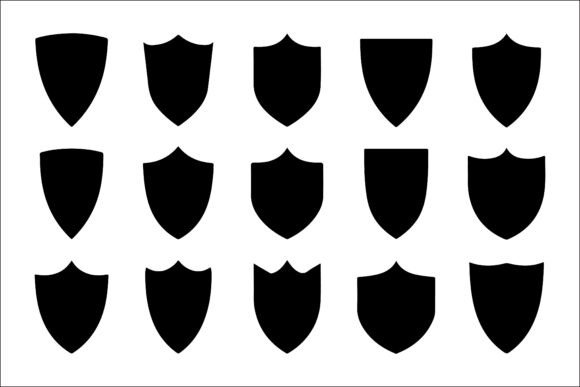
Modern Shield and Badge Icon Set for Protection
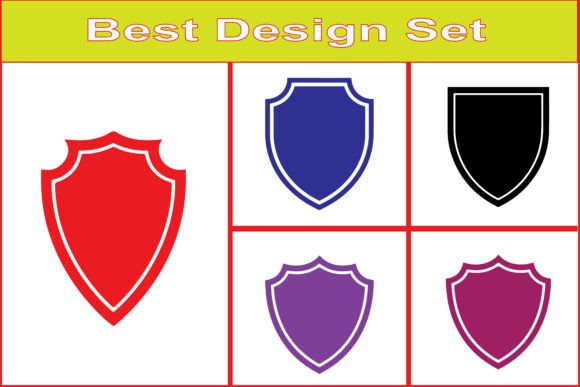
A strong visual identity often relies on symbols that communicate trust and reliability at a glance. The Modern Shield and Badge Icon Set delivers exactly that—a collection of line icons and silhouettes designed for security and protection themes. Whether you are building a brand from scratch or refreshing an existing project, these vectors offer a practical foundation for conveying safety, authority, and dependability. The set includes 15 editable EPS files, 15 transparent PNGs, and 15 high-resolution JPGs, giving you flexibility across print and digital environments.
What makes this collection stand out is its range of styles. You get both detailed line icons and solid silhouettes, which means you can pair a lighter outline with a filled badge or use them separately depending on the context. The designs are clean, contemporary, and avoid unnecessary ornamentation, making them suitable for professional applications where clarity matters.
Who benefits from a shield icon set
Shield and badge symbols resonate with people across many fields because they carry universal meaning. Protection, security, authority, and trust are concepts that matter whether you run a cybersecurity startup, manage an insurance agency, or design mobile apps. The value of this icon set depends largely on what you need it to do. Below are some of the main audience groups and how they might approach these assets differently.
Security professionals and cybersecurity brands
If you work in digital security, your visual language needs to inspire confidence. A shield icon is an immediate way to signal encryption, safe browsing, or data protection. For a cybersecurity company, the Modern Shield and Badge Icon Set can form the backbone of a logo. The line icons work well on a website header, while the solid silhouettes are ideal for app icons or favicons. You might use one badge style for your primary mark and another for sub-brands or service tiers.
Consider a VPN service that wants to show different levels of security. One shield could represent basic encryption, a second with a lock symbol could indicate premium privacy, and a third with a checkmark might denote verified safe browsing. Having 15 distinct variations means you can build a cohesive system without needing custom illustrations.
Entrepreneurs and small business owners
For those running a law firm, insurance agency, or security consulting practice, first impressions matter. A polished shield logo on your business card, letterhead, or website can communicate reliability before a potential client reads a single word. The editable EPS files let you tweak colours, stroke weights, or proportions to match your brand palette without starting from scratch.
A local security company might use a bold silhouette badge on its van signage and a lighter line version on invoices and quotes. This consistency reinforces recognition. For small business owners who do not have a design background, the PNG files with transparent backgrounds are especially helpful—you can drop them directly into presentations, social media posts, or printed materials without worrying about white boxes.
UI designers and app developers
Mobile apps and web platforms often need interface elements that communicate security features. A shield icon placed next to a login field, on a privacy settings screen, or beside a payment confirmation can reassure users without extra text. The transparency and resolution of the PNG files make them ready to import into design tools like Figma, Sketch, or Adobe XD.
A banking app developer might use a small shield outline next to a “secure connection” label, while a health app could place a badge icon on the personal data page to indicate compliance with privacy standards. Because the set includes both thin and filled styles, you can maintain visual hierarchy—filled icons draw more attention and work well for status indicators, while outlines are subtle enough for secondary actions.
E-commerce and marketing teams
Online shoppers look for trust signals. Badge icons that say “100% Secure Payment” or “Satisfaction Guarantee” can reduce hesitation at checkout. The Modern Shield and Badge Icon Set gives you ready-to-use symbols that you can place on product pages, cart interfaces, or packaging inserts. The high-resolution JPG files work directly on product images or social media banners.
For a small online store, you might use a shield badge on the homepage hero section to highlight secure checkout, then repeat a smaller version on the footer. A marketing manager preparing a campaign around data protection could pair one of the silhouettes with a short tagline for a banner ad. Having multiple styles means you can test which visual resonates most with your audience without commissioning custom artwork.
Game developers and esports teams
Shield logos are a staple in gaming, especially for competitive teams or in-game factions. A bold silhouette can become a team emblem on uniforms, stream overlays, or social channels. Because the set includes 15 distinct shapes, you can assign different badges to different teams, ranks, or achievement levels.
An independent game studio designing a fantasy title might use a line icon shield for the player’s inventory and a solid version as a loading screen mark. An esports team could take one badge, customise it with their colours in the EPS file, and use it across Discord, Twitch, and merchandise. The flexibility to edit vectors is valuable here because you may want to add team initials or a mascot element around the base shape.
What to consider when choosing this icon set
Different priorities matter depending on your project. Below are some factors that can help you decide whether this collection fits your needs.
Ease of use for beginners
If you are new to design or working without a dedicated creative team, the transparent PNG files are a practical entry point. No software installation is required—simply download and drag into your document. The JPG files are also ready to use for print. Beginners will find that the clean shapes are forgiving to resize or combine with text without losing legibility.
Professional flexibility for experienced designers
Seasoned designers will appreciate the EPS vector files. You can ungroup elements, adjust anchor points, change stroke styles, or combine multiple shields to create a custom composite. The range of silhouettes and line weights gives you room to experiment with different brand expressions without starting from a blank canvas. For client work, being able to present several distinct shield options from a single set saves time during the exploration phase.
Cost and commercial value
Compared to hiring an illustrator for custom badge work, a pre-made set with 45 files (15 EPS, 15 PNG, 15 JPG) offers significant savings. Small businesses and freelancers can allocate budget elsewhere while still achieving a professional look. The commercial value comes from the fact that you are not limited to one use—you can apply the icons across websites, print, merchandise, and marketing, which spreads the cost across multiple touchpoints.
Quality and consistency across formats
Because the set includes three file types, you can maintain quality whether you are designing for a billboard or an app icon. The vector EPS files scale infinitely without pixelation, while the high-resolution JPGs are suitable for printed materials where vector editing is not needed. The transparent PNGs ensure that on digital platforms, icons sit naturally onto any background colour or image. Consistency among the 15 styles means your brand will look cohesive even when you alternate between line and silhouette versions.
Practical ways to evaluate the set for your project
Before purchasing, think about the specific context where you will use the icons. If you are building a brand identity, consider how a shield symbol aligns with your industry and values. A financial advisory firm might want a classic badge with a solid feel, while a digital security tool could lean toward a lighter, more modern line icon. The set includes both, so you can choose accordingly.
For a web or app UI, test how the icons read at small sizes. Open one of the PNG files on your screen and resize it to 24×24 pixels—if it remains clear, it will work for interface elements. For print, check the EPS file at the scale you need and print a test sample to ensure stroke weights feel balanced.
If you plan to customise the icons heavily, open the EPS in your vector software and try changing the colour, adding a gradient, or combining two shapes. This will show you how much editing freedom you have. The set is designed for modification, but it is always good to verify that the layers and groups are organised in a way that suits your workflow.
Long-term usefulness and future projects
A well-designed icon set often finds its way into multiple projects over time. The shields and badges from this collection can be reused for different clients, seasonal campaigns, or new product lines. Since they are timeless shapes without trendy effects, they remain relevant as design preferences evolve. Having 15 distinct options also means you can assign specific shields to different product versions, company divisions, or content categories, giving you a small system that grows with your needs.
If you later expand into video, social media, or packaging, the same EPS files can be repurposed without starting over. This longevity makes the set a practical investment for anyone who regularly creates security-focused or trust-related visuals.
Matching the set to your skill level and goals
Beginners will find the ready-to-use PNG and JPG files sufficient for most tasks, while professionals can dig into the EPS files for deeper customisation. The collection sits at a middle ground—approachable enough for someone learning design, yet robust enough for a branding agency. Your goal might be to launch a website quickly with a credible logo, or to provide a client with several badge concepts in one meeting. Either way, the variety of styles saves you from searching multiple sources.
If your work involves explaining security concepts to a general audience, these icons can make abstract ideas feel concrete. For educators creating training material on data protection, a shield symbol next to a tip about strong passwords reinforces the message visually. Freelancers bidding for projects can include a few badge icons in their proposals to demonstrate visual thinking without promising custom illustration.
Ultimately, the Modern Shield and Badge Icon Set offers a straightforward way to integrate protection and trust symbols into your work. By choosing the file format that matches your production pipeline and the icon style that fits your message, you can save time and maintain a professional standard across print, digital, and branding projects.