Retro Portable Game Console Doodle: A Nostalgic Design Asset for Modern Creativity
I remember the first time I held a chunky handheld console. The weight, the click of the D-pad, the glow of a monochrome screen — it was magic. Fast forward a few decades, and that same feeling of wonder can be captured instantly with the Retro Portable Game Console Doodle. This is not a photograph of an old device; it is a hand-drawn illustration that distills the essence of 90s portable gaming into a vibrant, versatile design asset. Whether you are a graphic designer hunting for authentic retro flair, a small business owner creating themed merchandise, or a blogger looking for that perfect header image, this doodle offers a unique blend of nostalgia and artistic charm.
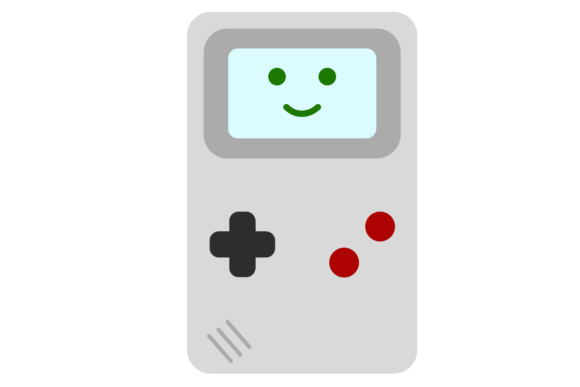
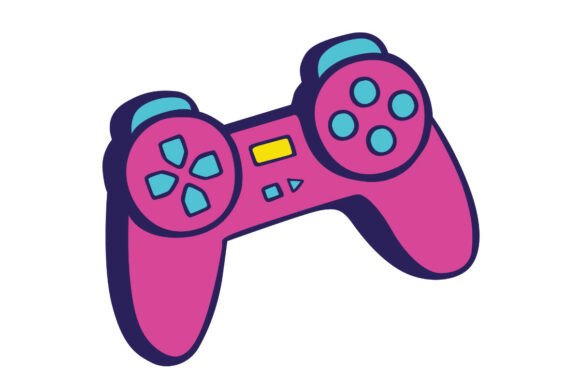
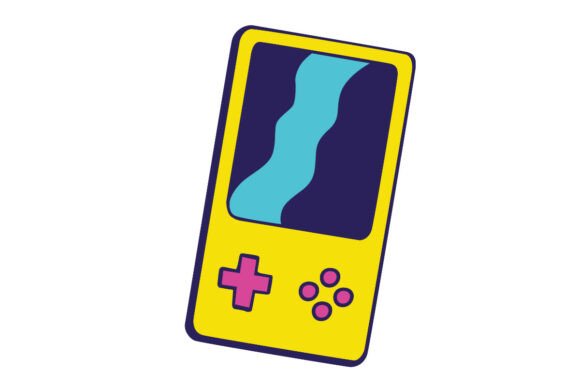
The illustration features a classic handheld console form factor, vividly colored in yellow and purple, with cyan and pink control pads that pop against the warm backdrop. Every line is deliberately sketched, giving it an organic, approachable feel that a sterile vector trace cannot replicate. Included in the download are two formats — a PNG file for immediate web use and an SVG file for infinite scalability in print or digital projects. In this article, we will explore the makeup of this doodle, its many use cases, who benefits most from it, and how to decide if it fits your next project.
The Origins of the Doodle: More Than Just a Picture
The Retro Portable Game Console Doodle is not a generic clip-art piece. It was created with intention: to capture the tactile, imperfect beauty of hand-drawn illustration while referencing the iconic design language of handheld consoles from the 1990s. The choice of colors — sunny yellow for the body, deep purple for the screen bezel, cyan and pink for the controls — is a deliberate departure from the original grays and greens. This color palette injects energy and modernity while retaining a clear connection to the past.
Hand-drawn illustration carries inherent warmth. The slight unevenness of lines, the subtle variations in thickness, the absence of rigid symmetry — these are qualities that make the doodle feel alive. When you use this asset in your work, you are not just adding a retro icon; you are adding a piece of handcrafted art. The SVG format ensures that the illustration retains its crisp edges at any size, whether you scale it down to a favicon or blow it up to poster dimensions. The PNG file, with its transparent background, is ready to drop into web layouts or social media graphics without fuss.
Why This Doodle Stands Out
- Authenticity: The hand-drawn style evokes a sense of nostalgia that vector-perfect replicas often miss.
- Color Confidence: Yellow and purple are complementary colors that create visual impact; cyan and pink add retro-futuristic accents.
- Versatile Formats: SVG handles resizing without pixelation; PNG is ideal for raster-based workflows.
- Immediate Download: Both files come in a single package, ready to use in minutes.
Where This Doodle Shines: Practical Use Cases
The Retro Portable Game Console Doodle is not a one-trick pony. Its appeal cuts across industries and media because it taps into a universal cultural touchpoint — handheld gaming. Below are several scenarios where this asset delivers real value.
Graphic Design and Branding
Designers often struggle to find visuals that are both recognizable and unique. This doodle can serve as a central element in logo concepts for retro-themed cafes, game shops, or YouTube channels. Because it is an SVG, you can easily edit colors in vector software to match your brand palette. Imagine a purple console on a yellow background — the contrast is built in. Pair it with bold sans-serif typography, and you have a logo that feels both nostalgic and contemporary.
Merchandise and Apparel
T-shirt designers, sticker makers, and print-on-demand entrepreneurs will appreciate the doodle’s clean lines. The hand-drawn quality translates beautifully onto fabric. Create a limited-run shirt with the console front and center, or scale it down for a small chest print. The PNG file with transparency lets you place the icon on any background color for mockups. For stickers, the SVG ensures sharp edges even at large sizes.
Web and Social Media Content
Bloggers and content creators covering retro gaming, 90s culture, or creative design can use the doodle as a header image or as a visual break between sections. Because the illustration is flat and high-contrast, it loads quickly and works well in both light and dark modes. Use it as a featured image for an article about “The Best Handheld Consoles of the 90s” or as a badge for a giveaway post. The transparent PNG makes it easy to overlay on photos or gradient backgrounds.
Educational and Presentation Materials
Teachers or instructors explaining the history of video games can incorporate the doodle into slides or handouts. It is more engaging than a generic clip-art icon. The hand-drawn appearance signals creativity and can help hold the attention of younger audiences. Business owners giving a pitch about nostalgia marketing could use the doodle as a visual anchor — a way to say “we understand our audience’s fond memories.”
Who Benefits Most from This Asset?
The Retro Portable Game Console Doodle appeals to a wide range of users, but certain groups will find it especially valuable.
- Freelance Designers: You need assets that are both distinctive and flexible. This doodle offers a base you can customize or use as-is.
- Small Business Owners: If you run a retro-gaming store, a 90s-themed cafe, or a vintage pop culture brand, this illustration can become a signature element in your marketing.
- Content Creators: YouTubers, Twitch streamers, and bloggers covering gaming culture will find the doodle useful for thumbnails, overlays, or channel art.
- Hobbyists and DIY Enthusiasts: Crafters who make zines, patches, or custom vinyl decals will love the clean, scalable SVG.
- Educators: Technology and media studies teachers can use the doodle to illustrate discussions on the evolution of portable devices.
Evaluating Suitability: Questions to Ask Yourself
- Does the hand-drawn style match my brand voice? If your visual identity leans polished and perfect, a doodle may feel out of place. However, if you value authenticity and warmth, this is a great fit.
- Am I working in print or digital? For print, SVG ensures high resolution. For digital, both formats work. If you need raster-only, the PNG is ready.
- Can I customize the colors? Yes. The SVG is editable in vector software (like Illustrator, Inkscape, or Affinity Designer). You can change the yellow to blue or the pink to green.
- Does the nostalgia align with my audience? If your target audience grew up with handhelds in the 90s and early 2000s, this doodle will resonate. Gen Z audiences may also appreciate the retro aesthetic.
Strengths, Considerations, and Limitations
Every design asset has its sweet spot. Let us look at what the Retro Portable Game Console Doodle does well and where you might need a different approach.
Strengths
- Instant recognition: The silhouette is unmistakable. Viewers immediately connect with the idea of handheld gaming.
- Artistic quality: The hand-drawn lines give it a premium, curated feel that surpasses stock clip art.
- Scalability: SVG vector format means you can use it for a tiny icon or a billboard-sized graphic.
- Color pop: Yellow and purple are bold, joyful colors that attract attention.
Considerations
- Style specificity: The doodle is distinctly hand-drawn. If your project requires a photorealistic rendering of a game console, this will not serve that purpose.
- Color palette: The existing colors may not suit every brand. However, you can recolor the SVG easily.
- Context: The doodle works best in a retro or playful context. For a serious, corporate tone, it might feel too whimsical.
Limitations
The main limitation is that this is a single illustration, not a set. You get one console doodle. If your project demands multiple angles, variations, or an entire icon pack, you may need to supplement this asset with additional resources. Additionally, the doodle does not include text, screen content, or background elements — it is a standalone console. That said, its simplicity is also its strength: you can place it anywhere without visual clutter.
Real-World Application Scenarios
Let us walk through three concrete examples of how the Retro Portable Game Console Doodle could be used effectively.
Scenario 1: Blog Header for a Retro Gaming Site
Alex runs a blog called Pixel Pilgrim about old-school handheld games. He wants a header that immediately communicates the blog’s focus. He downloads the doodle, opens the SVG in Affinity Designer, and changes the cyan buttons to match his brand’s teal. He then places the console beside the blog title. The yellow background of the illustration contrasts with his dark header area. Within minutes, he has a professional-looking banner that attracts nostalgic visitors.
Scenario 2: Event Poster for a 90s Party
Maria is organizing a 90s-themed charity event at a community center. She needs a poster that pops. She takes the PNG file and drops it into Canva. She adds purple text, some star icons, and event details. The hand-drawn console becomes the focal point. She prints posters in A3 size; the PNG at 300 DPI handles perfectly. Attendees comment on the “cool retro vibe.”
Scenario 3: Logo for an Indie Game Developer
David is releasing a mobile game that pays homage to classic handhelds. He wants a simple, memorable logo. He uses the SVG of the doodle as the base, adjusts the hue to match his game’s palette (pink body, blue controls), and adds his studio name in a pixel-style font. The resulting logo is distinctive, easy to read, and tells potential players immediately that this game is about retro handheld fun.
Practical Guidance on Integrating the Doodle
Getting started with the Retro Portable Game Console Doodle is straightforward. After download, unzip the folder containing the PNG and SVG files. For web use, the PNG works well because it is ready to upload with transparency. Place it in an
Consider combining the doodle with other retro elements: a grid background, pixel art fonts, or grain textures. But remember that the doodle itself is visually strong; sometimes less is more. Use it as a single accent rather than repeating it many times on a page. It works especially well as a hero image or a section divider.
When to Look for Alternatives
If your project requires a realistic or three-dimensional representation of a console, this doodle will not serve that need. Also, if you need a whole set of gaming icons (cartridges, controllers, cables), you will need to source those separately. The doodle is purpose-built for those who value artistic simplicity over literal detail. It fills a niche that photorealistic assets cannot.
Final Thoughts on the Retro Portable Game Console Doodle
The Retro Portable Game Console Doodle is more than a nostalgic image; it is a versatile, high-quality design tool. With its hand-drawn charm, vibrant yellow and purple color scheme, and inclusion of both PNG and SVG formats, it equips you to create professional-looking visuals across many media. Whether you are a designer, business owner, educator, or hobbyist, this doodle can help you connect with your audience through shared memories of handheld gaming. Evaluate your project’s style needs, consider the strengths and limitations, and if the retro hand-drawn aesthetic fits, this asset will be a worthwhile addition to your creative toolkit.