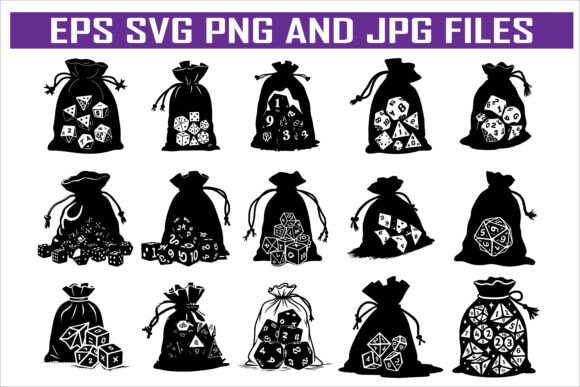
Polyhedral Dice Silhouette Vector Pack: Your Complete Design Resource for Gaming and Creative Projects
Whether you are a tabletop role-playing game enthusiast, a graphic designer working on gaming-related content, or a hobbyist looking to create custom merchandise, finding the right visual assets can be a challenge. Polyhedral dice—those iconic multi-sided shapes used in games like Dungeons & Dragons and Pathfinder—are instantly recognizable symbols of the hobby. But sourcing high-quality, versatile artwork of these dice that you can use across different mediums without licensing headaches is not always straightforward. That is exactly where the Polyhedral Dice Silhouette Vector Pack comes in. This carefully assembled collection offers a practical, ready-to-use solution for anyone who needs clean, scalable dice silhouettes for professional or personal projects.
What the Polyhedral Dice Silhouette Vector Pack Offers
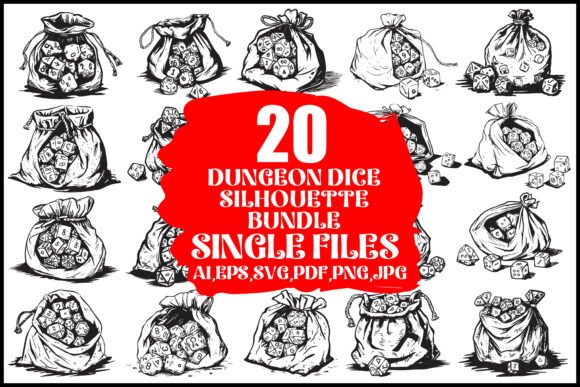
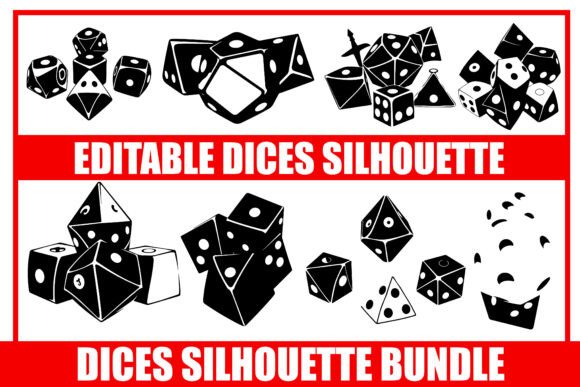
At its core, this vector pack provides a set of polyhedral dice silhouettes in multiple file formats. You receive 15 EPS files, 15 SVG files, 15 JPG files, and 15 PNG files. This variety means you can work with the pack regardless of your preferred software or output medium. The silhouettes are designed to be clean, consistent, and easy to manipulate, making them suitable for everything from screen printing to digital publishing. The pack saves you the time and expense of designing these shapes from scratch or commissioning custom artwork, giving you a foundation you can adapt to your specific needs.
Who Needs This Vector Pack and Why
Different users approach the need for dice silhouettes from different angles, but they often share common goals: saving time, maintaining quality, and having flexibility in how they use the assets. Let us look at how various groups benefit from this collection.
Tabletop RPG Enthusiasts and Hobbyists
If you are a passionate player or game master, you may want to create personalized items for your gaming group. Designing custom dice bags, dungeon master screens, or play mats with dice motifs can add a personal touch to your sessions. The Polyhedral Dice Silhouette Vector Pack gives you the building blocks to create these items without needing advanced illustration skills. You can take an SVG file, import it into a design program or even a free online editor, and resize or recolor it to fit your project. For example, you could use the silhouettes to create a stencil for a custom dice bag, or print them onto iron-on transfers for t-shirts your group can wear at game night.
Graphic Designers and Content Creators
For professionals working in the gaming niche, consistent and high-quality visuals are essential. Whether you are designing a rulebook, creating promotional graphics for a new campaign, or building assets for a gaming website, the Polyhedral Dice Silhouette Vector Pack streamlines your workflow. The EPS and SVG formats are vector-based, meaning you can scale them to any size without losing resolution. This is critical when you need a small icon for a character sheet and a large graphic for a poster. The monochrome silhouettes also give you maximum flexibility—you can fill them with any color, apply gradients, layer them with textures, or combine them with other design elements. Using a vector pack like this reduces your production time and ensures visual consistency across all your materials.
Game Publishers and Developers
If you are publishing a tabletop RPG, board game, or related digital product, you need artwork that is both appealing and practical. The Polyhedral Dice Silhouette Vector Pack can be integrated into rulebooks, quick reference guides, and promotional materials. The silhouettes work well as chapter dividers, page borders, or icons for statistics and mechanics. They also serve as clean visual shorthand for dice-related content, helping readers quickly identify sections that involve rolling dice. For digital game developers, the PNG files with transparent backgrounds can be dropped directly into user interfaces, tutorials, or marketing assets.
Retailers and Merchandise Creators
Selling gaming-related merchandise is a growing market, and having distinctive designs is key to standing out. The Polyhedral Dice Silhouette Vector Pack gives retailers and small business owners a versatile set of graphics they can use across product lines. You can apply the silhouettes to apparel, accessories, home decor, and gift items. The pack supports a wide range of production methods, including screen printing, laser engraving, and digital print-on-demand. For instance, a laser engraver could use the SVG files to etch dice silhouettes onto wooden coasters or acrylic keychains. A t-shirt printer could use the EPS files to create screens for multi-color designs. Having the files in multiple formats ensures compatibility with different machinery and software.
Practical Applications and Real-World Uses
The Polyhedral Dice Silhouette Vector Pack is not just a collection of graphics—it is a tool that enables a wide range of projects. Below are detailed examples of how you can put these files to work in different contexts.
Gaming Industry Applications
Within the tabletop gaming ecosystem, dice are central to the experience. The silhouettes can be used to enhance both physical and digital products.
- Custom accessories: Design dice trays, rolling boxes, and storage solutions with laser-engraved or printed dice motifs. The clean outlines of the silhouettes work well on wood, acrylic, and fabric.
- Game board and manual embellishments: Use the dice shapes as decorative elements on game boards, card backs, or chapter headings in rulebooks. Their simplicity keeps the focus on gameplay while adding thematic flair.
- Promotional materials: Create event flyers, social media graphics, or banners for gaming conventions using the vector files. The scalability ensures your graphics look sharp on both digital screens and large printed banners.
Merchandise and Retail Products
The demand for gaming-themed merchandise continues to grow. The Polyhedral Dice Silhouette Vector Pack helps you meet that demand efficiently.
- Clothing and accessories: Print dice silhouettes on t-shirts, hoodies, hats, and tote bags. The vector files make it easy to adjust the size and placement for different garment types and print methods.
- Home and office decor: Create wall art, posters, mousepads, coasters, and desk organizers featuring dice shapes. The clean aesthetic appeals to gamers who want to bring their hobby into their living or work space without clutter.
- Custom gifts and small goods: Produce keychains, pins, stickers, and magnets. The PNG files with transparent backgrounds are ideal for stickers, while the SVG files work well for cutting machines used in making custom pins or acrylic charms.
Digital and Print Media Projects
Beyond physical products, the vector pack is valuable for digital content creation and print publishing.
- Graphic design work: Use the silhouettes in advertisements, website graphics, social media posts, and email campaigns. Their neutral silhouette style pairs well with various color schemes and typography.
- Publishing: Incorporate the dice shapes into book covers, interior illustrations, and supplementary materials for RPGs. The vector format ensures that printed lines remain crisp and clean at any resolution.
- Video and streaming content: Add dice graphics to overlays, transitions, or channel art for streaming tabletop sessions. The PNG files can be easily imported into video editing software.
File Formats and How to Use Them Effectively
Understanding the strengths of each file format in the Polyhedral Dice Silhouette Vector Pack helps you get the most out of the collection.
- EPS files: These are vector files compatible with professional design software like Adobe Illustrator, CorelDRAW, and Affinity Designer. Use EPS when you need to edit paths, apply complex color fills, or prepare files for commercial printing.
- SVG files: Scalable Vector Graphics work well in web design, digital interfaces, and with many cutting machines. You can open SVG files in web browsers, vector editors, and some word processing applications. They are also easy to customize using code if needed.
- JPG files: Raster images suitable for quick previews, social media posts, or projects where a transparent background is not required. They are also useful for testing layouts before committing to vector editing.
- PNG files: Raster images with transparent backgrounds. These are ideal for web use, digital scrapbooking, stickers, and any situation where you need to place the dice silhouette over another image or color without a white box around it.
Having all four formats means you do not need to convert files yourself, which saves time and prevents quality loss during conversion. Whether you are a seasoned designer using professional tools or a hobbyist working with free software, you can find a format that works for you.
Practical Tips for Getting the Best Results
To make the most of the Polyhedral Dice Silhouette Vector Pack, consider these recommendations based on common user needs.
- Start with the vector files for any project that requires scaling. If you are designing a banner that is 2 feet wide and a business card that is 3 inches wide, the same EPS or SVG file can be resized without degradation. This uniformity saves you from needing multiple versions of the same graphic.
- Use the PNG files for quick digital mockups. When you want to test how a dice silhouette looks on a t-shirt mockup or a website header, the PNG file with transparency lets you drop it in place immediately without additional editing.
- Layer the silhouettes with other design elements. Because the pack provides clean outlines, you can place them over textures, gradients, or patterns. For example, you could fill a dice silhouette with a metallic gradient to simulate a metal die, or overlay it on a parchment background for an old-school RPG feel.
- Combine multiple dice silhouettes to create compositions. The pack includes 15 unique silhouettes, so you can arrange them in groups to form larger designs. This is especially useful for creating patterns for fabric, wallpaper, or wrapping paper.
Who Can Benefit Most from This Resource
The Polyhedral Dice Silhouette Vector Pack is designed for anyone who values efficiency, quality, and creative freedom. If you identify with any of the following situations, this collection is likely a good fit for your workflow.
- You need professional-looking dice graphics but do not have illustration skills. The pack removes the barrier of drawing accurate polyhedral shapes from scratch.
- You produce content or products for the tabletop gaming community regularly. Having a consistent set of dice assets speeds up your production and strengthens your brand identity.
- You run a small business making custom gaming accessories or apparel. The multiple file formats allow you to work with different manufacturers and production methods without reformatting your designs.
- You are a hobbyist who enjoys making personalized game items for yourself or friends. The pack gives you a professional starting point that you can customize with minimal effort.
Long-Term Value and Versatility
A well-designed vector pack is an investment that pays for itself over time. The Polyhedral Dice Silhouette Vector Pack does not expire or go out of style because polyhedral dice remain a timeless symbol within the gaming world. You can reuse these files across countless projects, from one-time custom gifts to ongoing product lines. The silhouettes also serve as a foundation you can build upon—add your own details, combine them with text or logos, or use them as masks for photo fills. Because the files are yours to use, you retain full control over how they appear in your finished work.
In a creative landscape where time is often scarce and quality expectations are high, having reliable, flexible resources makes a tangible difference. Whether you are creating for profit, for passion, or for both, the Polyhedral Dice Silhouette Vector Pack provides the practical foundation you need to bring your ideas to life. With multiple formats, clean silhouettes, and a focus on real-world utility, it is designed to serve the diverse needs of tabletop gaming enthusiasts, designers, and makers alike.