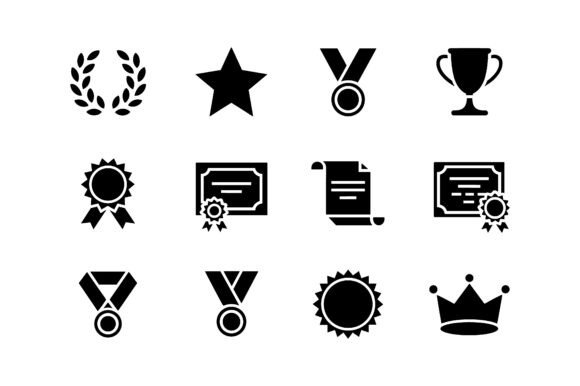
Winner Award Symbol Icon Set EPS for Celebrating Success
If you have ever needed a clean, professional way to show achievement, the Winner Award Symbol Icon Set EPS offers a straightforward solution. It is a single vector file containing nine classic award-themed silhouettes: a trophy cup, a gold medal, a laurel wreath, a royal crown, and other timeless symbols of excellence. Instead of searching across different platforms or settling for low-resolution clip art, this set gives you a unified collection of bold, recognizable icons in one downloadable package. Whether you are designing a logo for a local sports league, creating badges for a mobile game, or putting together certificates for a school event, these glyphs communicate victory instantly without extra fuss.
The product arrives as a ZIP file containing one EPS vector file with all nine silhouettes. Because it is 100 percent vector, you can scale each icon to any size without losing quality. That means the same crown that looks crisp on a business card will also appear sharp on a banner or a large poster. The set is intentionally minimal and bold, which makes it suitable for both digital and print work. If you value efficiency and want to avoid spending hours drawing award symbols from scratch, this collection gives you a solid starting point.
What makes this icon set valuable
Many people underestimate how much time goes into finding the right graphic for a simple achievement badge or an award certificate. Stock photography sites often return hundreds of options that are overly detailed, inconsistent in style, or locked behind subscription fees. The Winner Award Symbol Icon Set EPS solves that by offering a curated group of icons that share a cohesive silhouette look. Because they are all in one file, you can use them together without worrying about mismatched styles or different line weights.
Another advantage is the vector format itself. EPS files are widely supported across design software such as Adobe Illustrator, CorelDRAW, Affinity Designer, and even free tools like Inkscape. You can open the file, select the icon you need, and then adjust its color, size, or orientation to fit your project. The silhouettes are clean and uncluttered, which means they look good whether you use them as standalone graphics or combine them with text and other elements. For anyone who needs a reliable set of award symbols without the overhead of managing multiple formats or licenses, this pack delivers real convenience.
Who benefits from using this set
This collection is designed for a wide range of users, from beginners exploring design for the first time to experienced professionals who need quick assets. Here are some of the people who find it especially useful:
- Small business owners who want to create branded certificates, loyalty badges, or recognition materials without hiring a designer for every small project.
- Teachers and educators who run spelling bees, science fairs, reading challenges, or field days and need printable awards that look polished.
- Game developers and app creators who require achievement icons, rank symbols, or level-up badges that players instantly recognize as rewards.
- Freelancers and marketers who produce content for sports teams, tournaments, or corporate incentive programs and need versatile graphics that work across different media.
- Hobbyists and content creators who make YouTube videos, blog posts, or social media graphics and want a consistent set of icons to highlight top lists, winners, or milestones.
Because the set is simple to use, even someone who has never opened vector software before can import the EPS file and start experimenting. The icons are straightforward, so there is no steep learning curve. At the same time, experienced designers appreciate the clean lines and the fact that the entire set lives in one file, which keeps projects organized.
Practical uses across different contexts
The beauty of this icon set is its versatility. The nine symbols are universally understood, so they work in almost any setting where you want to celebrate an accomplishment. Below are some realistic examples that show how different people might use the same file in completely different ways.
Sports and tournaments
Imagine you are helping a local youth soccer league organize an end-of-season ceremony. You need to design a simple logo for the event, create winner badges for each age group, and produce certificates for participation and sportsmanship. With the Winner Award Symbol Icon Set EPS, you can open the file, pull the trophy cup for the logo, use the gold medal for first-place badges, and place the laurel wreath around the certificate borders. Everything stays consistent because the icons share a similar weight and style. You save time and avoid the stress of hunting for separate graphics that may not match.
Gaming and app development
If you are building a mobile game or a fitness app that rewards users for reaching milestones, you need icons that feel earned. The crown can represent the highest rank, the medal can unlock after a certain number of workouts, and the trophy cup can appear when a user completes a major challenge. Because the icons are vector, you can resize them for different screen resolutions without pixelation. You can also recolor them to match your app’s theme. Since the file comes as EPS, you can bring it into your design workflow and export the icons as needed for your game engine or interface.
Education and school events
Schools often need award materials for events like spelling bees, science fairs, reading marathons, or field days. A teacher might use the gold medal for the top speller, the trophy cup for the best science project, and the crown for the student who read the most books over the semester. The icons are clear and easy for children to recognize, which adds a fun and motivational element to the awards. Because the set is digital, a teacher can print as many copies as needed without worrying about running out of stock graphics or paying per download.
Corporate recognition and incentives
Companies that run employee recognition programs, sales contests, or wellness challenges need professional-looking materials that reflect the brand’s standards. The Winner Award Symbol Icon Set EPS allows a marketing coordinator to create internal certificates, digital badges for company portals, and printable stickers for奖品. The laurel wreath works well for years-of-service awards, while the trophy cup can highlight top sales performers. Since the icons are vector, they can be scaled for use in email signatures, intranet banners, or printed posters without any loss of quality.
Content creation and social media
Bloggers, YouTubers, and social media managers often create listicles or countdowns that feature a number one spot. Using the trophy cup or crown icon next to the top entry makes the winner visually obvious. For example, a food blog might use the medal icon to indicate the best recipe in a roundup, or a tech reviewer might place the crown next to their top-rated gadget. These small visual cues help readers scan content quickly and give the page a polished feel. Since the set comes in one EPS file, you can import it into your preferred design tool and export individual icons as PNG or whatever format your platform requires.
Important things to consider before using this set
While the Winner Award Symbol Icon Set EPS is a practical resource, there are a few points worth understanding before you download. First, the product is delivered as a digital file only. You receive one EPS file inside a ZIP archive. There are no additional formats such as SVG, PNG, or JPG included. If you are not familiar with vector software, you may need to install a free application like Inkscape or use a trial version of a paid program to open and edit the file. Once you have the icons arranged the way you want, you can export them to any format you need.
Second, the icons are provided as silhouettes. They are solid shapes without any pre-applied colors or gradients. This is actually an advantage because you can fill them with your own brand colors, but if you were hoping for pre-colored graphics, you will need to do that step yourself. The silhouettes are designed to be clean and bold, so recoloring them takes only a few seconds in any vector editor.
Third, because this is a single EPS file containing all nine icons, you will need to select and copy the specific symbol you want for each use case. Some users may prefer individual files for each icon, but having them all in one document keeps the collection organized and reduces clutter. You can easily copy an icon to a new document and save it separately if you prefer.
Finally, consider the licensing. Digital product purchases like this one typically grant you permission to use the icons in personal and commercial projects. However, you should check the specific terms provided by the seller to confirm that you can use the icons in merchandise, apps, or other products you plan to sell. In most cases, these types of icon sets are royalty-free for both personal and commercial use, but it is always smart to verify.
Getting the most out of the file
If you are new to working with EPS files, here is a simple workflow to get started. After downloading the ZIP file, extract its contents to a folder on your computer. Open the EPS file in your vector editing software. You should see all nine icons arranged in the document. Select the icon you want to use, copy it, and paste it into your project file. Resize it as needed, then apply a color fill or stroke. If you plan to use multiple icons, keep the original EPS file as a master library so you can grab what you need for future projects. This approach keeps your workflow efficient and ensures you always have the full set available.
For those who work in print, the vector format is especially useful because you can scale icons to very large sizes without worrying about resolution. A trophy cup that is two inches wide on a certificate can be enlarged to two feet wide on a banner, and it will still look crisp. If you are designing for digital use, you can export the icons as PNG files with transparent backgrounds, which gives you flexibility when placing them over photos or colored backgrounds.
Why this set stands out
There are many award icon packs available online, but the Winner Award Symbol Icon Set EPS focuses on the essentials without unnecessary decoration. The nine symbols are the ones that people immediately associate with winning: trophy, medal, crown, wreath, and others that have been used for centuries to mark achievement. By keeping the designs as silhouettes, the set avoids dated trends and remains useful for years to come. The consistency across the icons means you can mix and match them within a single project and they will look like they belong together.
For anyone who regularly creates materials that recognize success, having a reliable set of award symbols saves time and reduces frustration. Whether you are designing for a school, a business, a game, or a personal project, these icons give you a solid foundation. You do not need to be a professional designer to use them effectively, and professionals can integrate them into complex layouts without extra cleanup. The EPS format ensures compatibility with most design tools, and the vector nature guarantees that your awards will look great at any size.
If you are looking for a straightforward way to add classic symbols of excellence to your work, this collection offers exactly that. It is a practical, no-fuss toolkit that lets you focus on the creative parts of your project instead of searching for the right graphic.